Redaction is the process of permanently removing sensitive information from a document before sharing it. Done correctly, the redacted content is gone for good. Done wrong which happens constantly the "hidden" text is still sitting in the file, one copy-paste away from exposure.
Why Most "Redaction" Isn't Real Redaction
The most common mistake is drawing a black rectangle over text and saving. That black box is just a shape layered on top the original words remain in the PDF's text layer. Anyone can select and copy the text underneath, delete the shape, or run a search and find it. To truly redact, the underlying data must be deleted, not covered.
Cover-Up vs. True Redaction
- Cover-up (unsafe): a highlight, shape, or image over the text. The data stays in the file.
- True redaction (safe): the text and any underlying content are permanently deleted, then a black mark is placed where they were. Nothing remains to recover.
How to Permanently Redact a PDF, Step by Step
Using PDF Agile on Windows, fully offline:
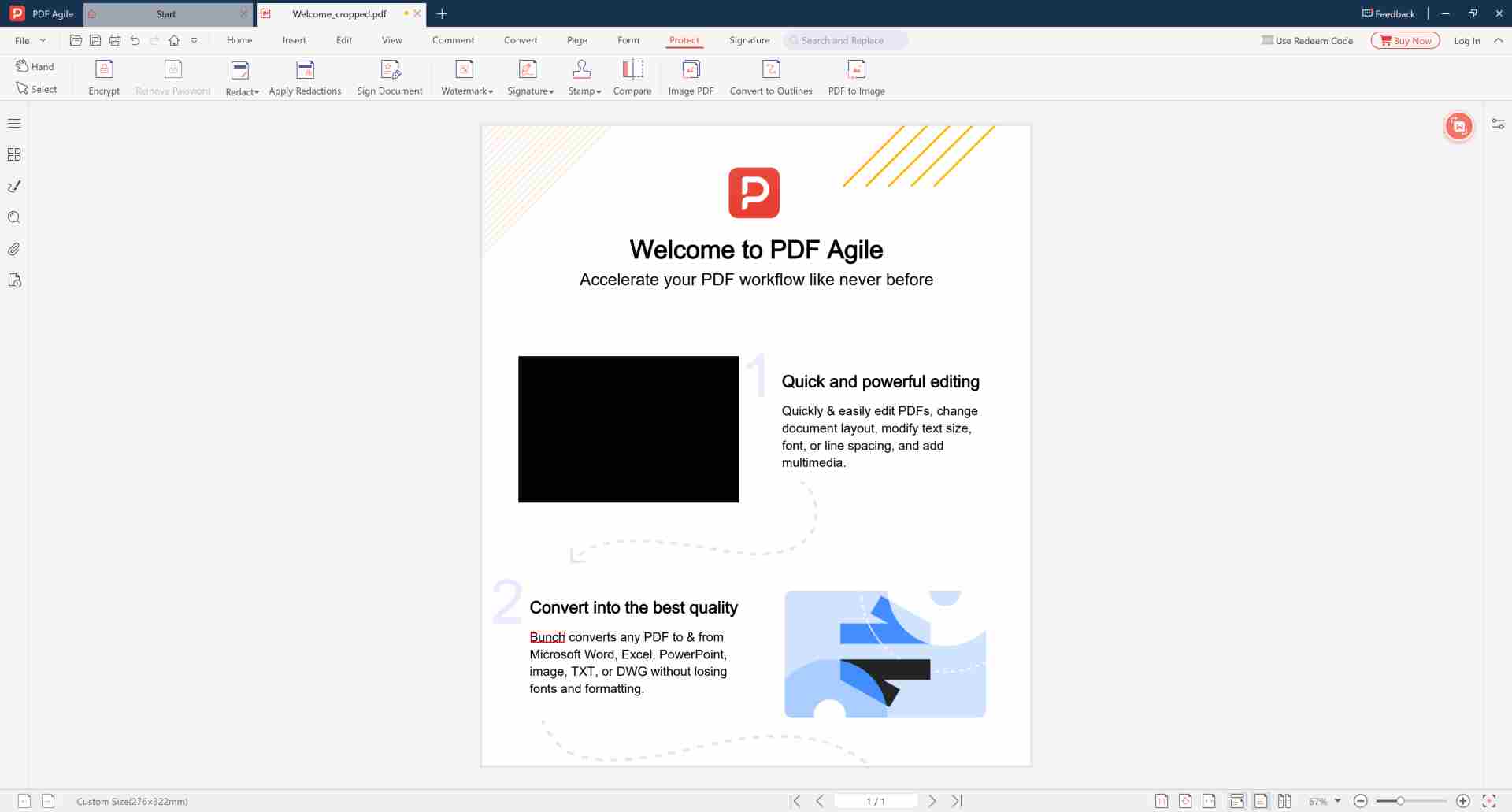
- Open the confidential document in PDF Agile.
- Open the Redact tool (not the highlight or shape tool).
- Mark the text, names, numbers, or image regions you want to remove.
- Click Apply Redaction this permanently deletes the underlying content.
- Save as a new file. The redacted areas now contain no recoverable data.
Redact, Then Encrypt for Maximum Security
Redaction removes specific secrets; encryption protects the whole file. For high-stakes documents, redact the sensitive lines first, then encrypt the PDF with bank-grade and restrict copying and printing. For a deeper look at safe blackout technique, see black out text in PDF permanently.
Redact Sensitive Text That Can Never Be Recovered
True offline redaction the removed content is gone for good, no upload.
⬇️ Free Download PDF AgileFrequently Asked Questions
Can redacted text be recovered?
If it was only covered with a shape yes, easily. If it was truly redacted (deleted then marked), there is no underlying text left to recover.
Does redaction work on scanned PDFs?
Yes. For image-based pages, the marked region is removed from the image so the content cannot be restored.
Is redaction done offline?
Yes. PDF Agile redacts locally on your device your confidential document is never uploaded.