If you need to permanently lock a PDF for free, the best approach is a desktop tool that works offline — no file upload, no subscription, no watermark on output. PDF Agile is a free PDF editor that includes full locking and encryption features. Here's what you get and how to use it.
What the Free PDF Lock Tool Includes
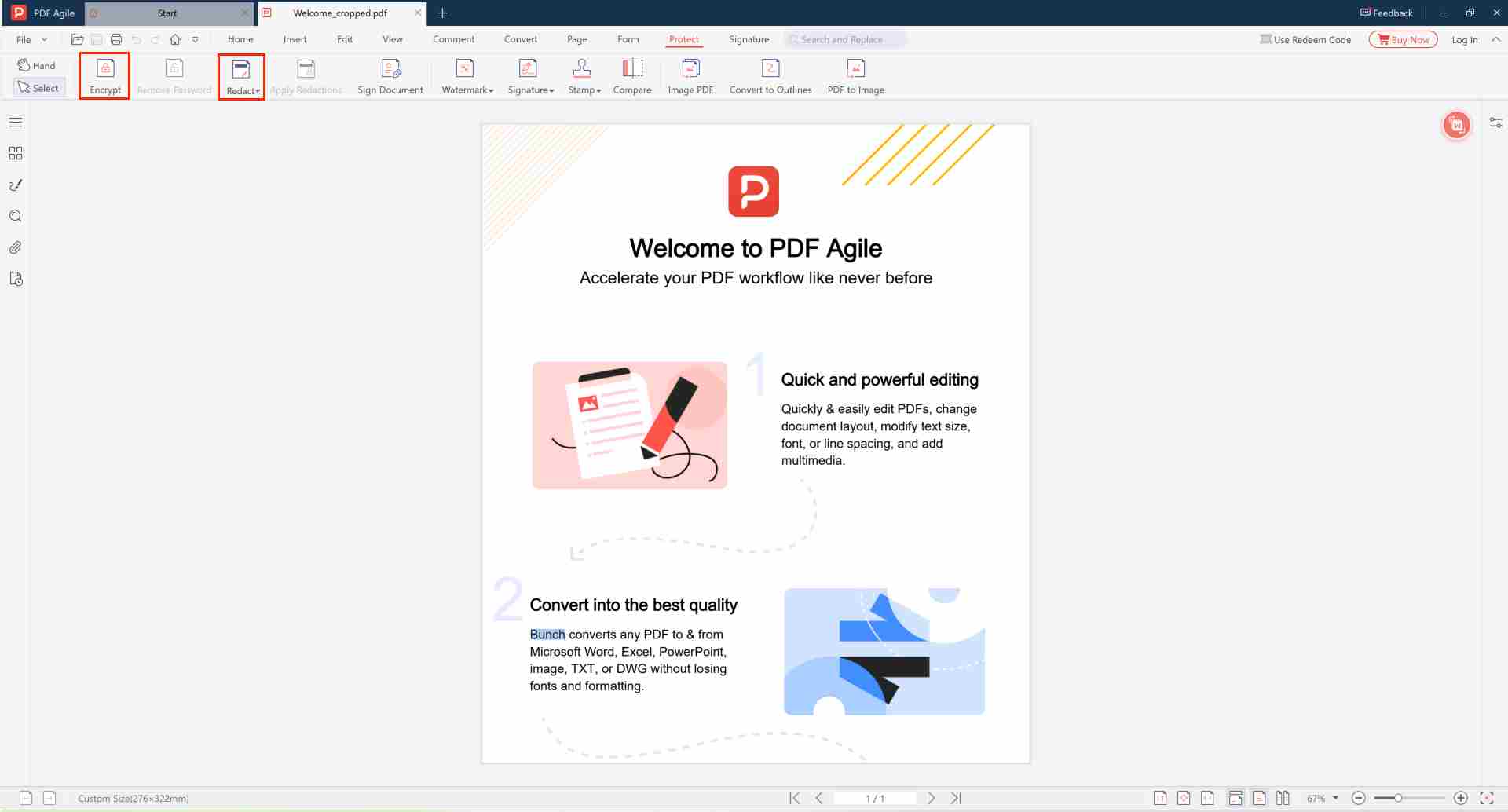
PDF Agile's free version includes all the protection tools you need:
- AES-256 encryption — bank-grade password protection to lock PDFs from unauthorized opening
- Copy protection — disable text extraction, printing, and content copying
- Edit restrictions — prevent modification, annotation, and form filling
- Redaction tools — permanently black out sensitive text (see permanent redaction guide)
- Convert to curves — flatten text into unselectable vector paths
All processing is done locally on your device — your confidential documents never leave your computer.
How to Download and Lock Your First PDF (Free)
- Download PDF Agile from the official site
- Install — lightweight, takes under a minute
- Open the PDF you want to protect
- Go to Protect → Encrypt with Password
- Set a strong open password and choose AES-256 encryption
- Optionally add permission restrictions for copying and printing
- Save as a new locked copy
Why Free Offline Locking Is Better Than Online Tools
| Aspect | PDF Agile (Free) | Online Tools |
|---|---|---|
| File privacy | 100% offline | File uploaded to server |
| Encryption strength | AES-256 | Often basic/weak |
| File size limit | No limit | Usually capped |
| Batch processing | ✔ | ✘ |
| Watermark on output | Minimal footer | Often adds watermark |
Frequently Asked Questions
🆓 Is it completely free?
Yes. The free version includes all core protection features: AES-256 encryption, permission restrictions, and redaction tools. No time limit, no credit card required.
💻 What platforms are supported?
Windows 7/8/10/11. Install the free desktop app to get started. The portable version is also available for devices without installation permissions.
🔒 Is it secure?
Yes. All operations run locally on your device — your files never leave your computer. AES-256 encryption is the same standard trusted by banks and governments.
Download the Free PDF Lock Tool
AES-256 encryption, copy protection, redaction — all offline.
⬇️ Download PDF Agile